%202%20(1).png?width=55&height=58&name=Group%20(4)%202%20(1).png)
Instead of simply identifying a new hire, promotion or company movement, you can generate tailored research around that prospect in seconds - ready for export into CRM or outbound workflows.
What can be enriched?You control the prompt, so Bernard can research prospects however you want.
Examples include:
- Current software providers
- Existing employee benefits
- L&D initiatives
- Marketing investments
- Sponsorship activity
- International growth plans
- Hiring priorities
- Workforce expansion activity
- Recent funding or acquisitions
- Business strategy and priorities
- Recent public activity
Each enrichment can be applied to contacts or companies directly inside Search.
How it works:
Step 1: Select your prospects
Firstly, add the Bernard Response field to your column view. Select the contacts or companies you want to enrich. You can enrich up to 200 records at once.
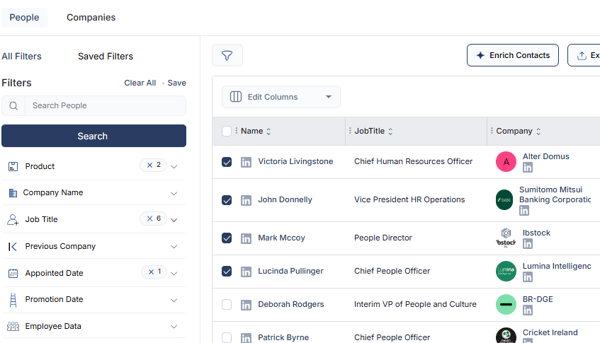
Step 2: Click "Enrich Contacts"
Use the Enrich Contacts button at the top of the page.
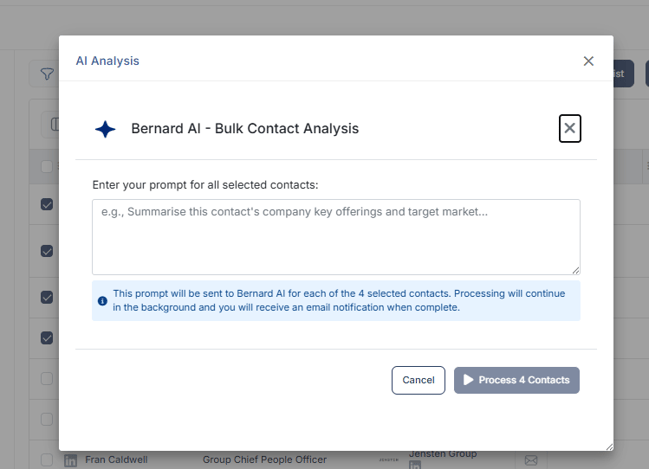
Step 3: Enter your prompt
Write the instructions for how you want Bernard to research the selected prospects.
Example prompts:
- "Research current HR software providers and employee benefits"
- "Summarise recent marketing investments and sponsorship activity"
- "Identify recent funding, acquisitions and expansion plans"
- "Research likely finance priorities and transformation activity"
The more specific the prompt, the more tailored the enrichment output will be.
Step 4: Submit the enrichment
Once submitted, Bernard will begin researching the selected records automatically.
Most enrichments complete within seconds.
Step 5: Receive your completion email
You’ll receive an email notification as soon as the enrichment has finished processing.
Step 6: Refresh the page
Refresh Search to view the completed enrichment data directly inside the Bernard Response column.
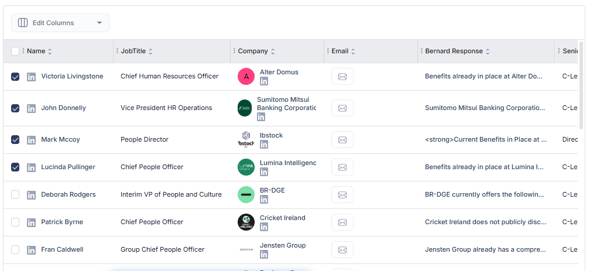
The enriched data can then be:
- Exported to Excel
- Uploaded into your CRM
- Used in outbound campaigns
- Added to workflows for reps or agents
Example use cases:
HR:
- Supplement contacts with existing benefit information
- Add current software providers to company data
- Enrich data on current L&D investments
Marketing:
- Add current sponsorship investment to new CMO hires
- Supplement companies with recent campaign data
- Enrich contacts with sector insight
Finance:
- Find new CFOs and enrich with current partner data
- Supplement funded companies with growth research
- Enrich contacts with key financial challenges
This new feature allows you to move from:
"Here’s a new decision-maker"
To:
"Here’s a new decision-maker, what the business is focused on, which suppliers they may already use, and where the opportunity could be."