%202%20(1).png?width=55&height=58&name=Group%20(4)%202%20(1).png)
Step 1 - Make sure you've set up contact syncing
You'll need to have the Salesforce button installed already so follow the instructions you'll find here if you've not already.
Step 2 - Configure email settings
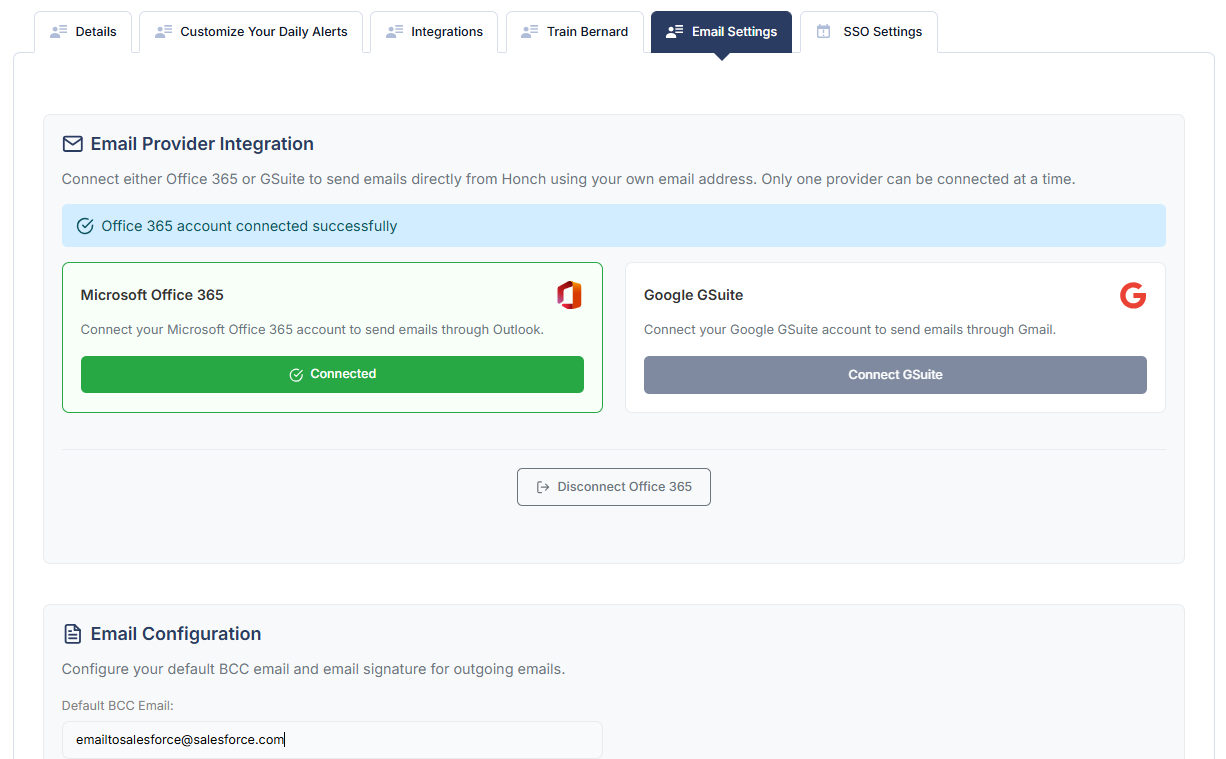
Go to your Account Settings and click on the Email Settings tab. Under Email Configuration add your unique Email to Salesforce address.
Tick this box to enable contact creation:

Then click save at the top of the page.
Whenever you now send an email from Honch, a contact will be created beforehand and your emails will automatically be synced to your Salesforce instance.